
Keyboard Ghosting vs. NKRO: What’s the Real Difference?
If you have ever purchased a gaming keyboard, you might have noticed some technical terms on the box before even opening it. Often, you will see labels like “Anti-ghosting” or “N-Key Rollover (NKRO)” listed as key features.
But do you actually know what these terms mean and how they affect your typing or gaming experience?
In this guide, we will break down exactly what they do and why they matter.
Why Peripheral Performance Matters
This article is specifically for users who rely on high-performance gaming keyboards.
In fast-paced games like Valorant or GTA, players often need to press many keys simultaneously and rapidly.
For these high-level games, only a high-quality gaming keyboard can truly keep up.
However, over time, a keyboard’s performance can degrade, leading to issues like ghosting and rollover errors.
Let’s explore the technical differences between these two concepts.

What is Keyboard Ghosting?
Many manufacturers use the term “Keyboard Ghosting” incorrectly.
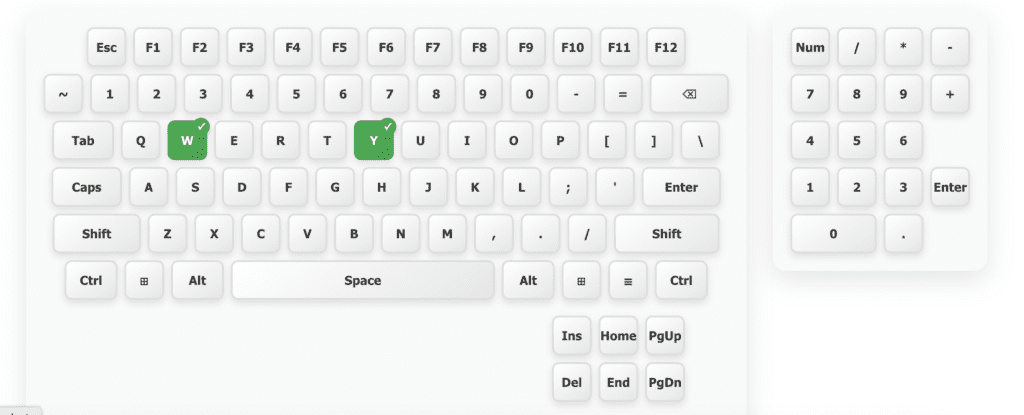
Technically, true ghosting occurs when you are using your keyboard and a key signal appears on your screen that you didn’t actually press.
An Example of Ghosting:
Imagine you are gaming and you press the ‘W’ key.
Suddenly, the ‘Y’ key signal is sent to the computer as well, even though you didn’t touch it.
If this unexpected signal happens repeatedly, it is technically defined as ghosting.
In modern computing, true ghosting is rare.
Manufacturers today build high-quality gaming keyboards that have largely eliminated this hardware flaw.
Understanding Key Rollover (KRO)
When you see “Anti-ghosting” on a box today, the manufacturer usually means Key Rollover.
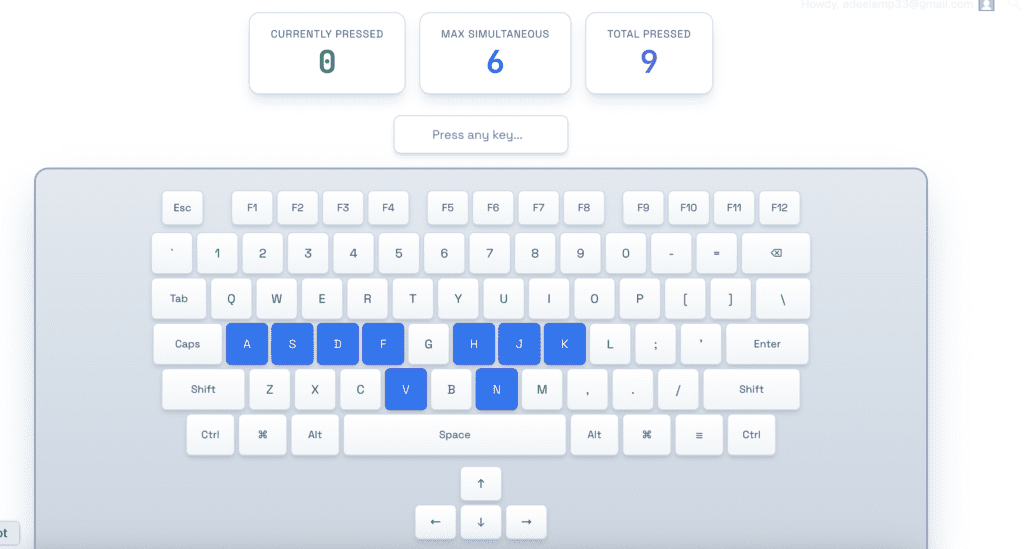
Key Rollover refers to a keyboard’s ability to correctly identify and register multiple keys pressed at the exact same time.
Rollover is measured using the term “X-Key Rollover,” where ‘X’ represents the total number of keys the hardware can recognize simultaneously.
Types of Key Rollover
Partial Rollover
Found in older or budget-friendly keyboards, this can only recognize a few keys at once.
Often, it only supports specific gaming clusters like WASD.
6-Key Rollover (6KRO)
These keyboards are typically connected via USB.
They can register up to 6 character keys and 4 modifier keys (like Shift or Ctrl) at once.
N-Key Rollover (NKRO)
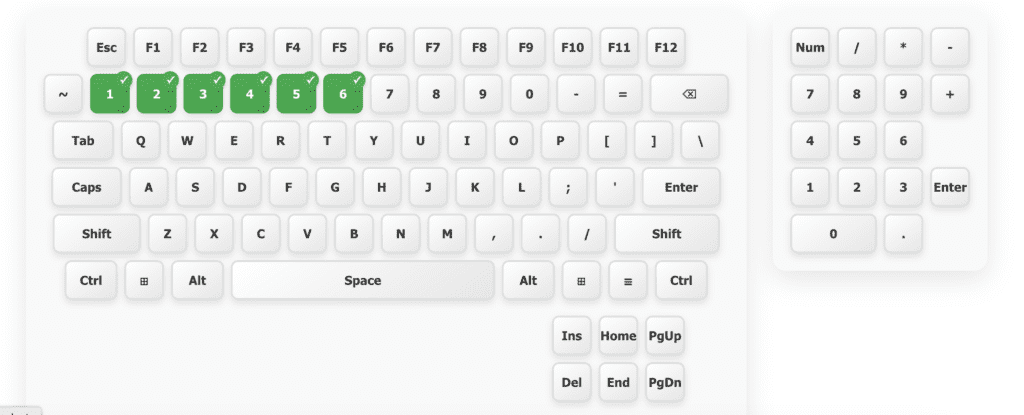
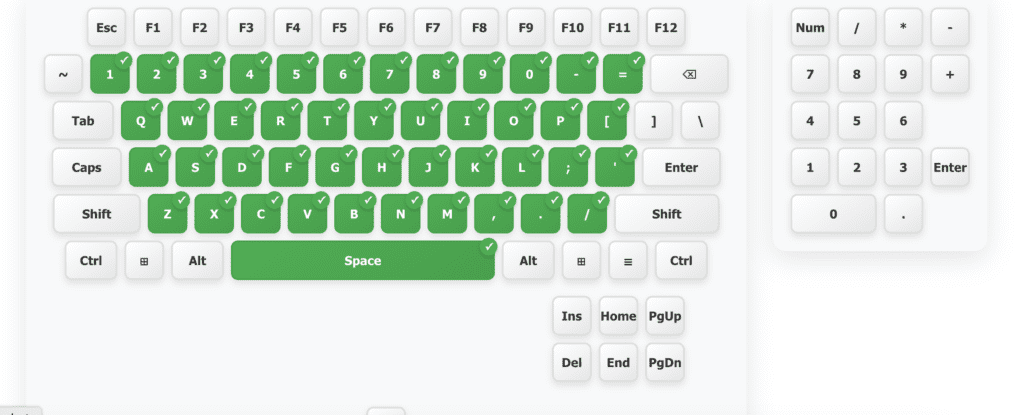
This is the ultimate version where every single key on the keyboard can work simultaneously.
The ‘N’ stands for an unlimited number, meaning every key signal can be sent and recognized by the computer at the same time.
| Feature | Partial Rollover | 6-Key Rollover (6KRO) | N-Key Rollover (NKRO) |
| Simultaneous Keys | 2–3 keys only 25
| Up to 6 keys + 4 modifiers 26
| Unlimited (All keys) 27
|
| Best Used For | Basic Office Work 28
| Casual Gaming & Typing 29
| Competitive Gaming 30
|
| Connection Type | Older USB / PS/2 31
| Standard USB 32
| High-end USB / PS/2 333333
|
| Ghosting Risk | High 34
| Very Low 35
| Zero 36
|
⌨️ Key Rollover Test
Press multiple keys simultaneously to test your keyboard's NKRO capability
Currently pressed | Previously pressed
Note: Some key combinations may be captured by your OS or browser
USB vs. PS/2: The Hardware Connection
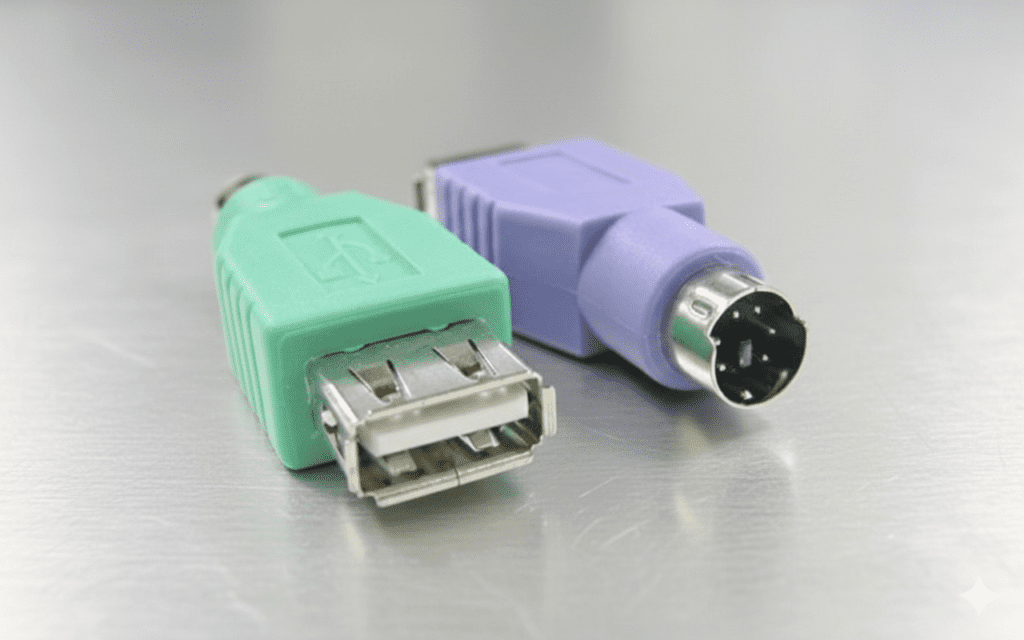
For a long time, tech experts preferred the old purple PS/2 ports over USB.
This was because early USB keyboards were limited to 6KRO.
In contrast, PS/2 keyboards could easily achieve full NKRO, sending all key signals to the computer accurately.
Today, technology has evolved.
Brands like Corsair and Ducky have developed modern USB keyboards that achieve full NKRO performance without needing old ports.
Do You Really Need NKRO?
While we all want the latest technology, it is important to know what you actually need.
For Gaming and Typing
Most users rarely need to press more than 6 keys at once.
Therefore, a standard 6KRO keyboard is usually more than enough for daily tasks and most gaming needs.
Special Cases
You only truly need NKRO in rare situations, such as using specialized software that turns your keyboard into a piano or other unique technical workloads.
Test Your Keyboard Performance
f you want to check your own keyboard for ghosting or see exactly how many keys it can register at once, we provide a free tool to help. Visit our website at pctester.online to run a live test and ensure your hardware is performing at its best.